SIMUT display screens
Generated by tools/screen_mapper.py against a real device. Every
frame was read back off the panel through GET /api/screenshot.
| Screen | UiMode | How to reach it | What it is |
|---|---|---|---|
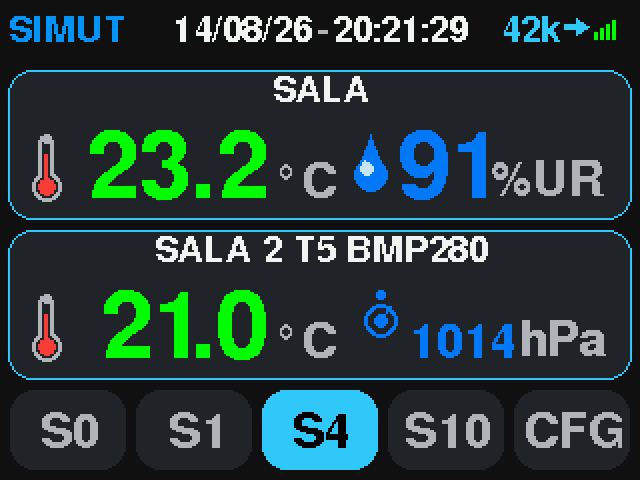 dashboard |
MODE_DASHBOARD |
screen dash |
Live readings, two sensor cards and the slot footer |
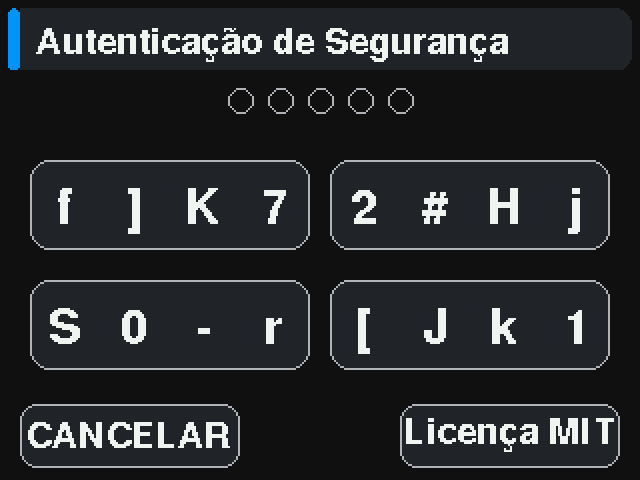 auth-keypad |
MODE_AUTH |
screen dash -> tap(286,215) |
PIN entry guarding the settings menu |
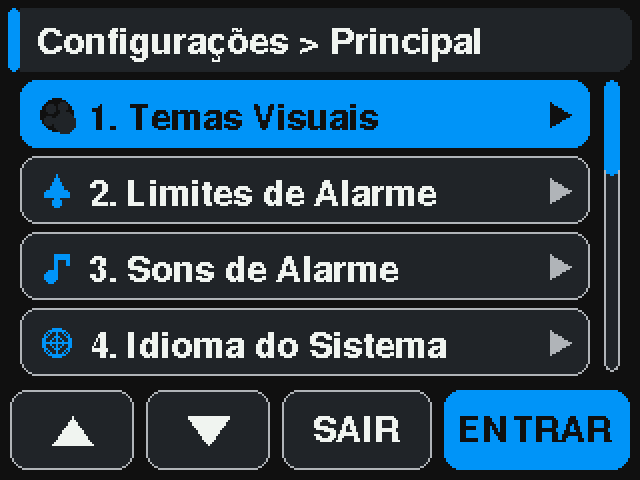 settings-main |
MODE_SETTINGS_MAIN |
screen set |
Settings menu |
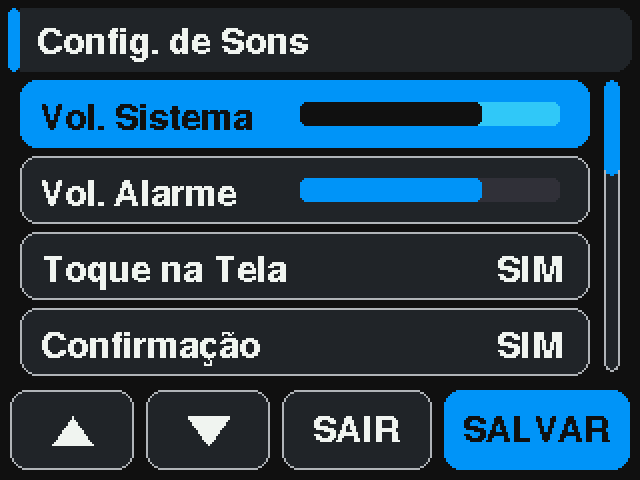 settings-sounds |
MODE_SETTINGS_SOUNDS |
screen set -> tap(105,215) -> tap(105,215) -> tap(250,215) |
Alarm sound settings, third item of the menu |
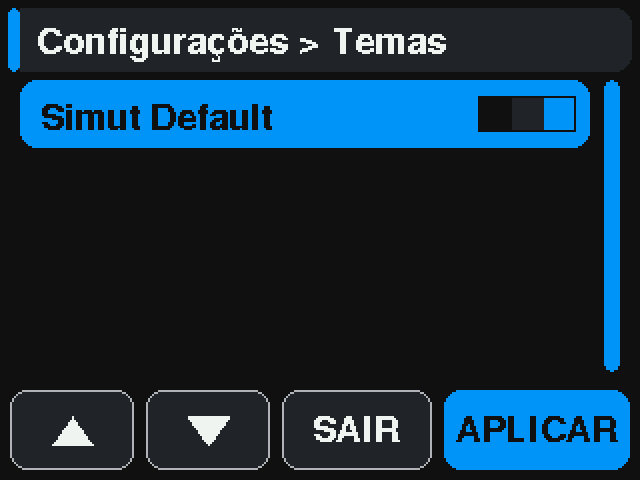 settings-themes |
MODE_SETTINGS_THEMES |
screen thm |
Theme picker |
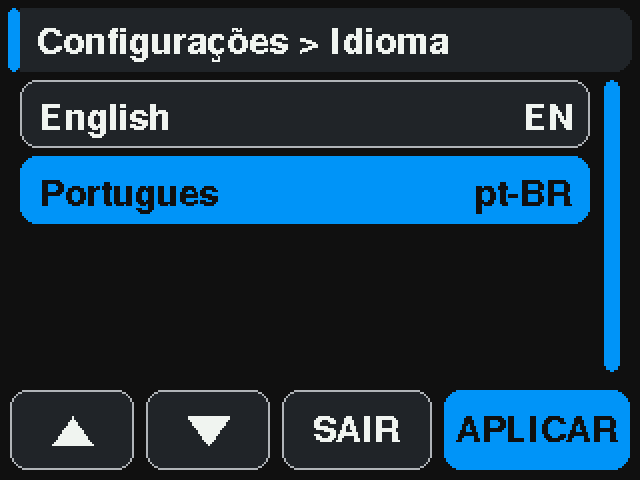 settings-lang |
MODE_SETTINGS_LANG |
screen lng |
Interface language |
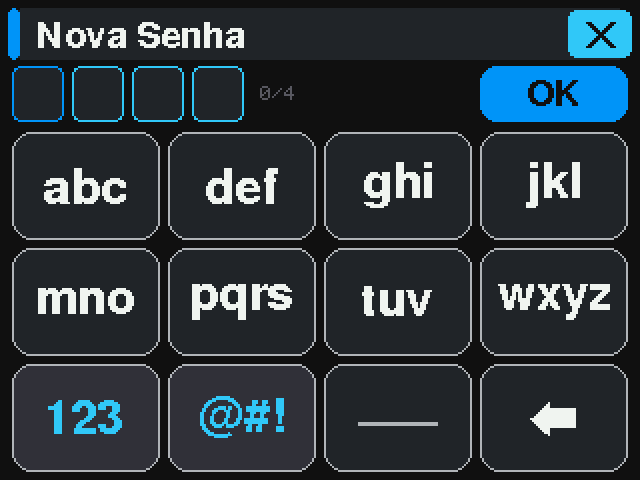 settings-password |
MODE_SETTINGS_PASSWORD |
screen pwd |
On-screen keyboard for the display PIN |
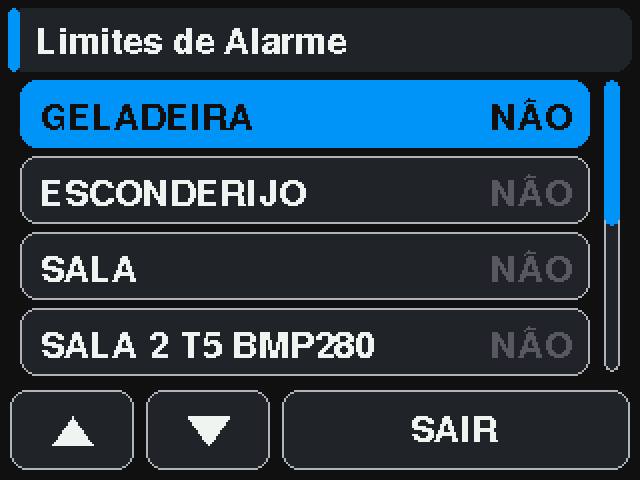 settings-alarms |
MODE_SETTINGS_ALARMS |
screen alm |
Per-sensor alarm thresholds |
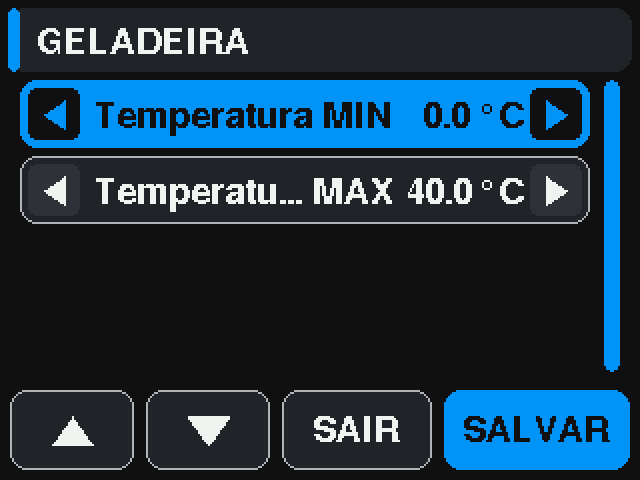 settings-alarm-edit |
MODE_SETTINGS_ALARM_EDIT |
screen alm -> tap(270,60) |
Threshold editor for one sensor |
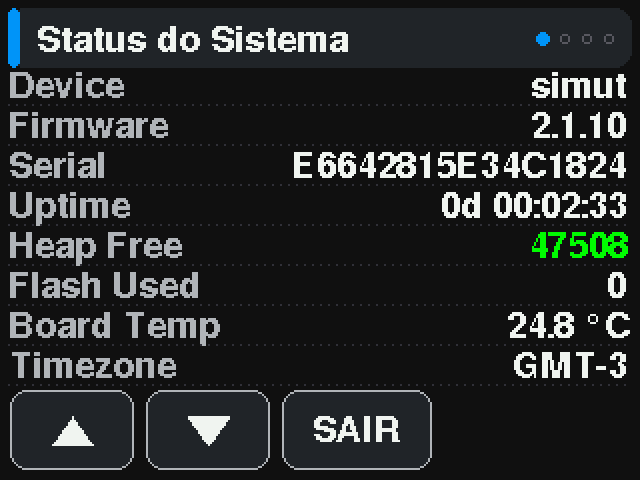 settings-status |
MODE_SETTINGS_STATUS |
screen sts |
Real-time system status |
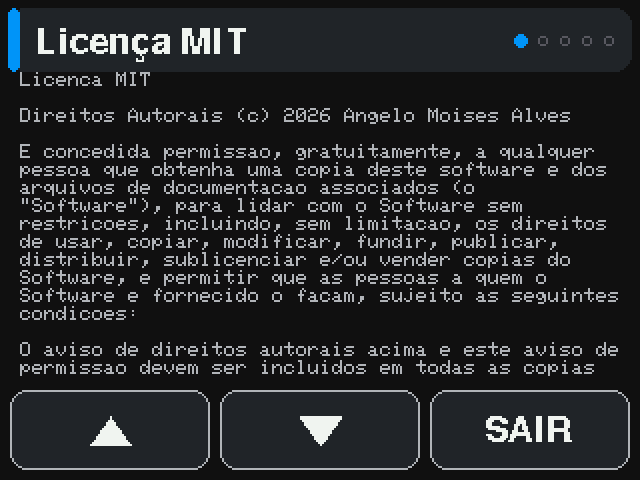 settings-license |
MODE_SETTINGS_LICENSE |
screen lic |
License text |
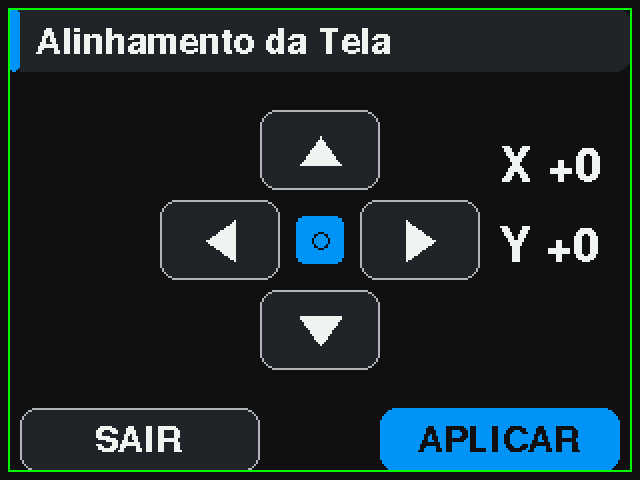 settings-offset |
MODE_SETTINGS_DISPLAY_OFFSET |
screen offset |
Display position adjustment |
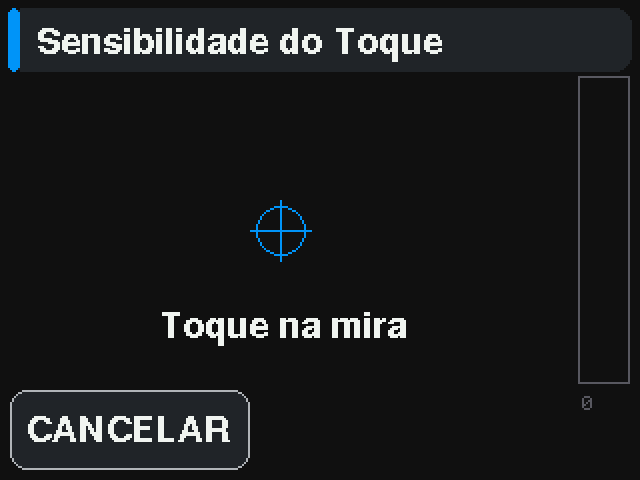 touch-calibration |
MODE_SETTINGS_TOUCH_CAL |
screen touchcal |
Touch calibration crosshairs |
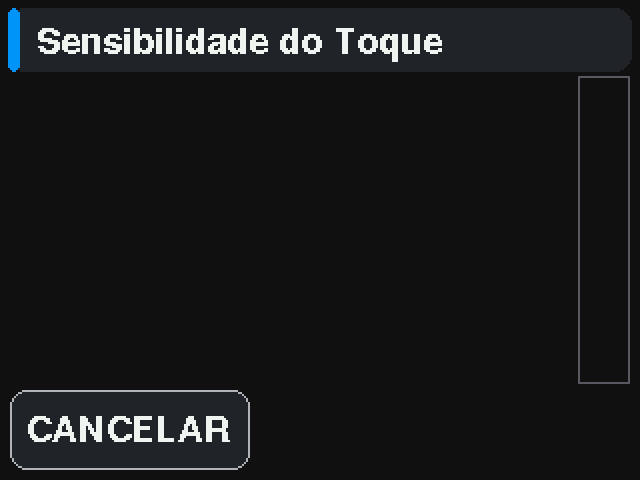 touch-sensitivity |
MODE_SETTINGS_TOUCH_SENS |
screen touchsens |
Touch pressure calibration |
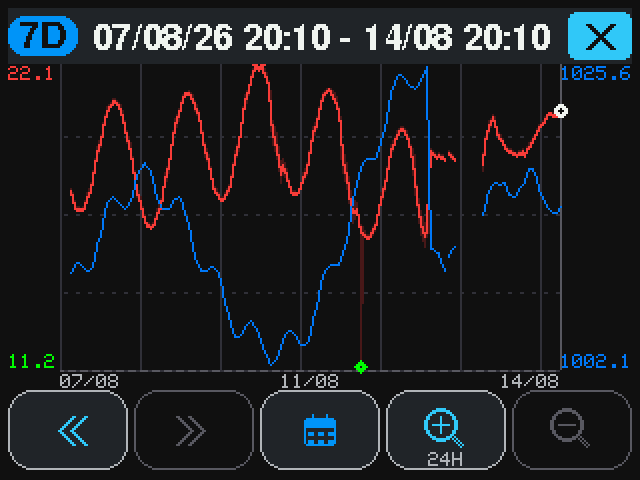 graph |
MODE_GRAPH_VIEW |
screen gra |
History plot for the selected sensor |
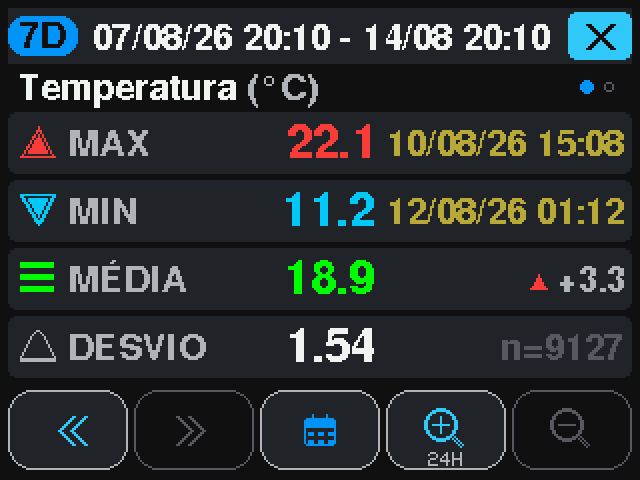 graph-detail |
MODE_GRAPH_DETAIL |
screen gra -> tap(160,120) |
Numeric detail: max, min, average, standard deviation |
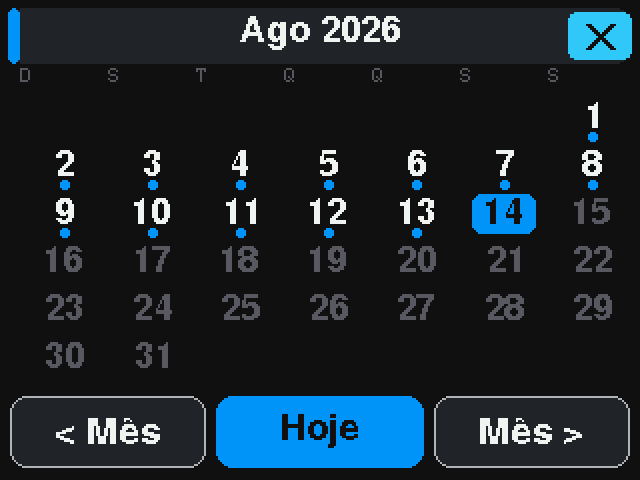 calendar |
MODE_CALENDAR |
screen gra -> tap(160,215) |
Month picker, third button of the graph bar |
Identity at the panel (config v24)
Captured on the rig on 2026-09-19 by tools/panel_users_hw_test.py, which
drives the panel through POST /api/touch (see the script for why not
touch sim). Tags: screen pin, screen usr.
| Screen | UiMode | How to reach it | What it is |
|---|---|---|---|
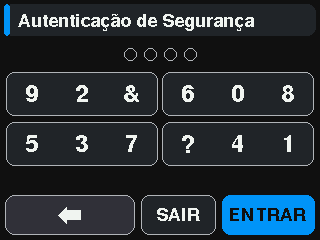 panel-pin-keypad |
MODE_AUTH |
screen dash -> tap(286,215) |
The scrambled PIN keypad: ten digits and two decoy symbols dealt over four cards, re-dealt on every entry. Identifying, a whole card is one tap; setting a PIN, each slot is. show display keypad prints the deal — nothing else can find a digit |
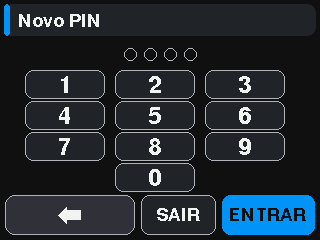 panel-pin-new |
MODE_AUTH |
menu -> Change Password | Setting a PIN is an ORDERED pad: choosing digits is not the problem scrambling solves |
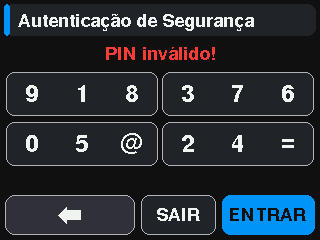 panel-pin-invalid |
MODE_AUTH |
wrong PIN + OK | Refused; the deal is rolled again and the lockout ladder runs behind it |
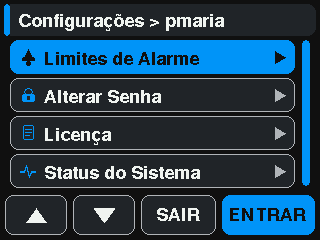 panel-menu-operator |
MODE_SETTINGS_MAIN |
PIN of an account with panel bits only | The menu lists what the account’s bits reach |
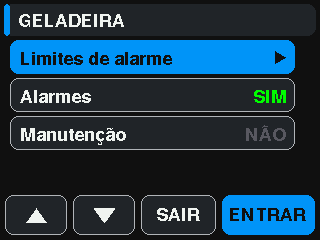 panel-sensor-menu |
MODE_SETTINGS_ALARM_SENSOR |
screen alm -> tap(160,57) |
Per-sensor actions: limits, alarms on/off, maintenance |
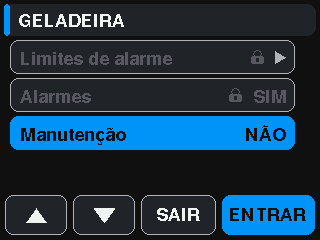 panel-sensor-menu-maint-only |
MODE_SETTINGS_ALARM_SENSOR |
same, account with PERM_MAINT only |
Lines without the bit are dimmed with a padlock (kept when selected); the menu opens on the first line the account may use |
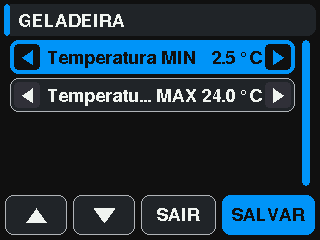 panel-limit-editor |
MODE_SETTINGS_ALARM_EDIT |
sensor menu -> Alarm limits | The limit editor; SAVE stores and sends alarm_lim with lo/hi |
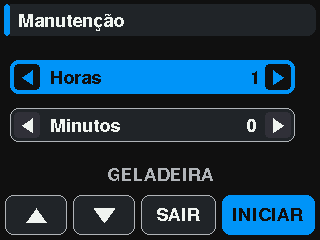 panel-maint-entry |
MODE_SETTINGS_MAINT |
sensor menu -> Maintenance | Hours and minutes of the window |
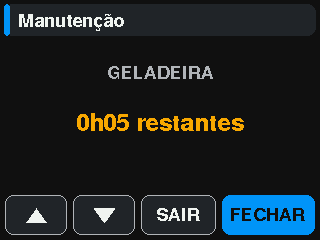 panel-maint-remaining |
MODE_SETTINGS_MAINT |
same, window open | Time left; END closes early |
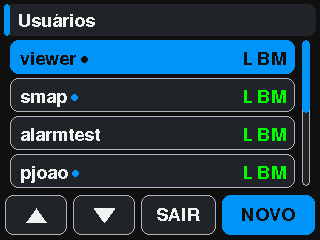 panel-users-list |
MODE_SETTINGS_USERS |
screen usr |
Accounts except the admin, their panel bits (L B M) and whether they hold a PIN |
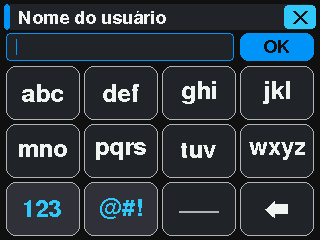 panel-new-user-keyboard |
MODE_SETTINGS_PASSWORD |
users -> NEW | The name of a new account |
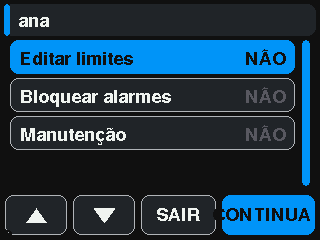 panel-new-user-bits |
MODE_SETTINGS_USER_EDIT |
name -> OK | The three panel bits; NEXT asks for the PIN twice |
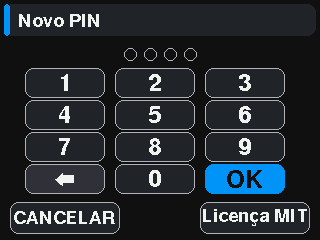 panel-new-user-pin |
MODE_AUTH |
bits -> NEXT | New PIN, typed twice |
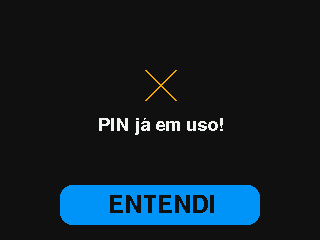 panel-pin-in-use |
MODE_PANEL_MESSAGE |
a PIN another account holds | Core 0’s verdict: refused, nothing saved |
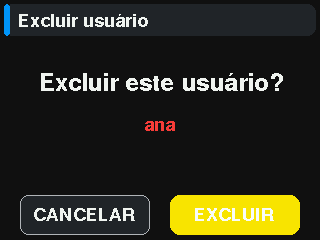 panel-delete-confirm |
MODE_SETTINGS_USER_CONFIRM_DEL |
editor -> Delete user | Confirmation before an account goes |
Modes this tool does not drive
MODE_ALARM_ACTION— needs a sensor genuinely outside its thresholdsMODE_CONFIRM_MUTE_ALL— a destructive confirmation; driving it risks silencing every alarmMODE_GRAPH_LOADING— transient – only painted while a 7-day range is being readMODE_STATS_VIEW— no touch path reaches it – see the note in screens.md
settings-sounds needs a longer settle than the default: the screenshot
endpoint answers 503 for ~5 s after a simulated tap, so the capture is taken
with a 6.5 s pause after the last navigation tap.